Create User
Learn all about Create User in this comprehensive tutorial.
- •To be able to log into the admin application, we need to create a user.
- •The Members model is missing, as it should be, you have to tell Django which models that should be visible in the admin interface.
Create User
To be able to log into the admin application, we need to create a user.
This is done by typing this command in the command view:
Which will give this prompt:
Here you must enter: username, e-mail address, (you can just pick a fake e-mail address), and password:
My password did not meet the criteria, but this is a test environment, and I choose to create user anyway, by enter y:
If you press [Enter], you should have successfully created a user:
Now start the server again:
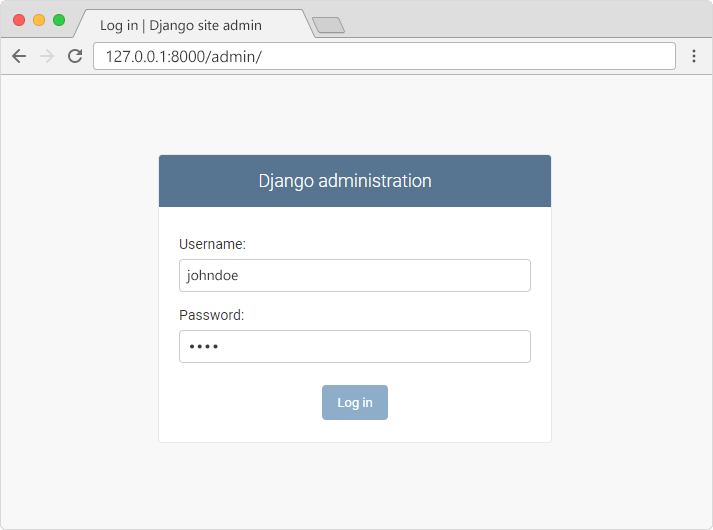
In the browser window, type 127.0.0.1:8000/admin/ in the address bar.
And fill in the form with the correct username and password:
Which should result in this user interface:
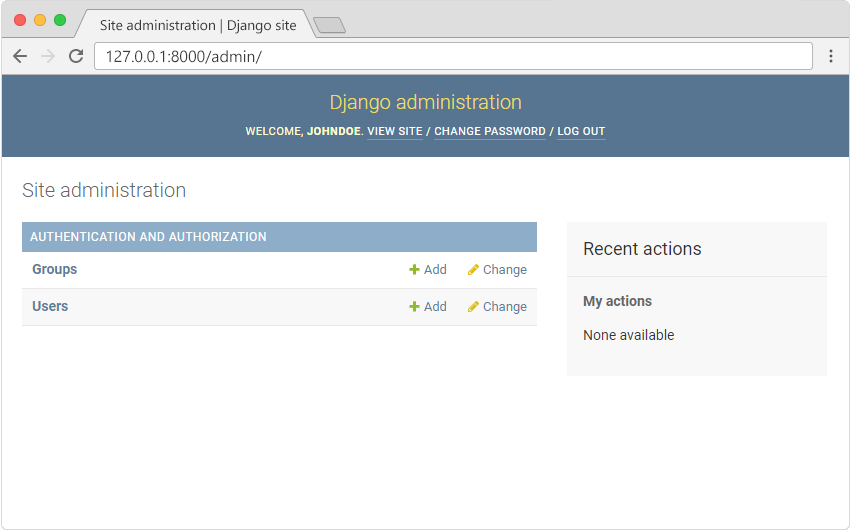
Here you can create, read, update, and delete groups and users, but where is the Members model?
Missing Model
The Members model is missing, as it should be, you have to tell Django which models that should be visible in the admin interface.
You will learn how to include the Members model in the next chapter.
Module quiz
Test your knowledge on this module