Django 404 Template
Learn all about Django 404 Template in this comprehensive tutorial.
- •If you try to access a page that does not exist (a 404 error), Django directs you to a built-in view that handles 404 errors.
- •Django will look for a file named 404.
- •You should reset the debug property to True to continue with the tutorial.
Page Not Found
If you try to access a page that does not exist (a 404 error), Django directs you to a built-in view that handles 404 errors.
You will learn how to customize this 404 view later in this chapter, but first, just try to request a page that does not exist.
In the browser window, type 127.0.0.1:8000/masfdfg/ in the address bar.
You will get one of two results:
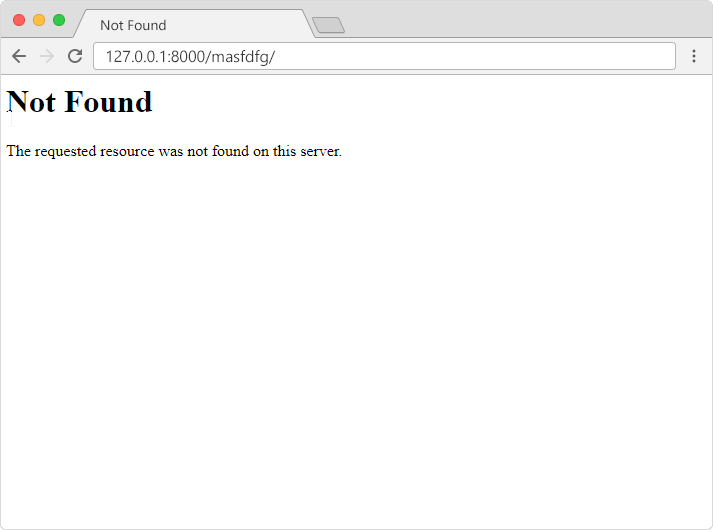
1:
2:

If you got the first result, you got directed to the built-in Django 404 template.
If you got the second result, then DEBUG is set to True in your settings, and you must set it to False to get directed to the 404 template.
This is done in the settings.py file, which is located in the project folder, in our case the my_tennis_club folder, where you also have to specify the host name from where your project runs from:
In the browser window, type
127.0.0.1:8000/masfdfg/ in the address bar, and you will get the built-in 404 template:
Customize the 404 Template
Django will look for a file named 404.html in the templates folder, and display it when there is a 404 error.
If no such file exists, Django shows the "Not Found" that you saw in the example above.
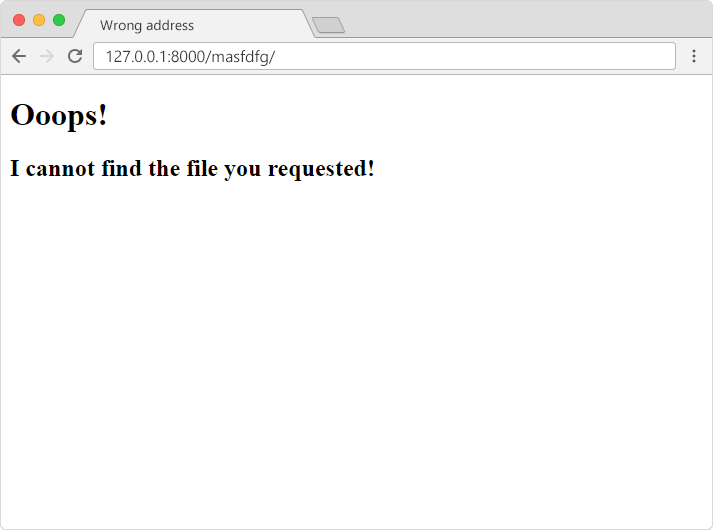
To customize this message, all you have to do is to create a file in the templates folder and name it 404.html, and fill it with whatever you want:
In the browser window, type
127.0.0.1:8000/masfdfg/ in the address bar, and you will get the customized 404 template:
Reset Debug = True
You should reset the debug property to True to continue with the tutorial.
Module quiz
Test your knowledge on this module