Add Test View
Learn all about Add Test View in this comprehensive tutorial.
- •When testing different aspects of Django, it can be a good idea to have somewhere to test code without destroying the main project.
- •Start by adding a view called "testing" in the views.
- •We have to make sure that incoming urls to /testing/ will be redirected to the testing view.
- •We also need a template where we can play around with HTML and Django code.
Test View
When testing different aspects of Django, it can be a good idea to have somewhere to test code without destroying the main project.
This is optional off course, but if you like to follow all steps in this tutorial, you should add a test view that is exactly like the one we create below.
Then you can follow the examples and try them out on your own computer.
Add View
Start by adding a view called "testing" in the views.py file:
URLs
We have to make sure that incoming urls to /testing/ will be redirected to the testing view.
This is done in the urls.py file in the members folder:
Test Template
We also need a template where we can play around with HTML and Django code.
You might noticed that there was a reference to a template in the testing view?
Create a template called "template.html" in the templates folder:
Open the template.html file and insert the following:
If the server is not running, navigate to the /my_tennis_club folder and execute this command in the command prompt:
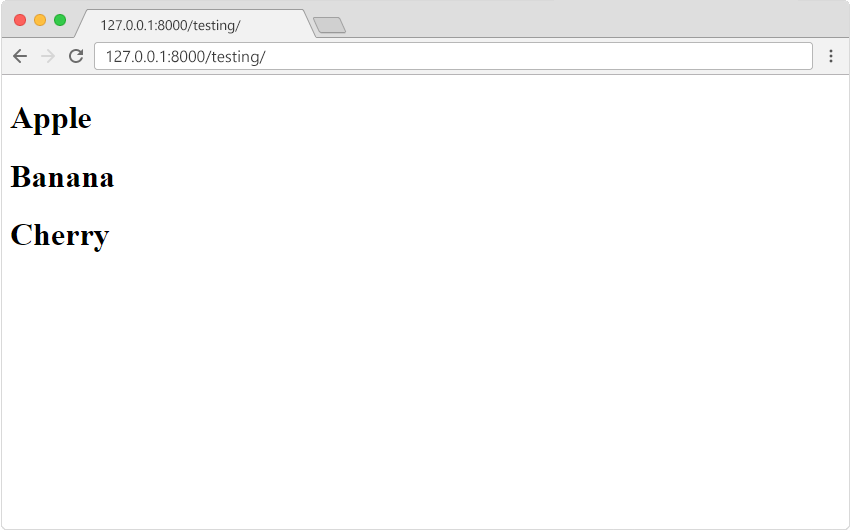
In the browser window, type 127.0.0.1:8000/testing/ in the address bar.
The result should be like this:
Module quiz
Test your knowledge on this module